SpooledOS Community
Build your own dash
Turn a Raspberry Pi and a Waveshare 8.8" touchscreen into a live gauge cluster for your DS1-tuned car. Free and open source.
Free and open source · GPL-3.0 · Never flashes or edits your tune
On this page
What it does#
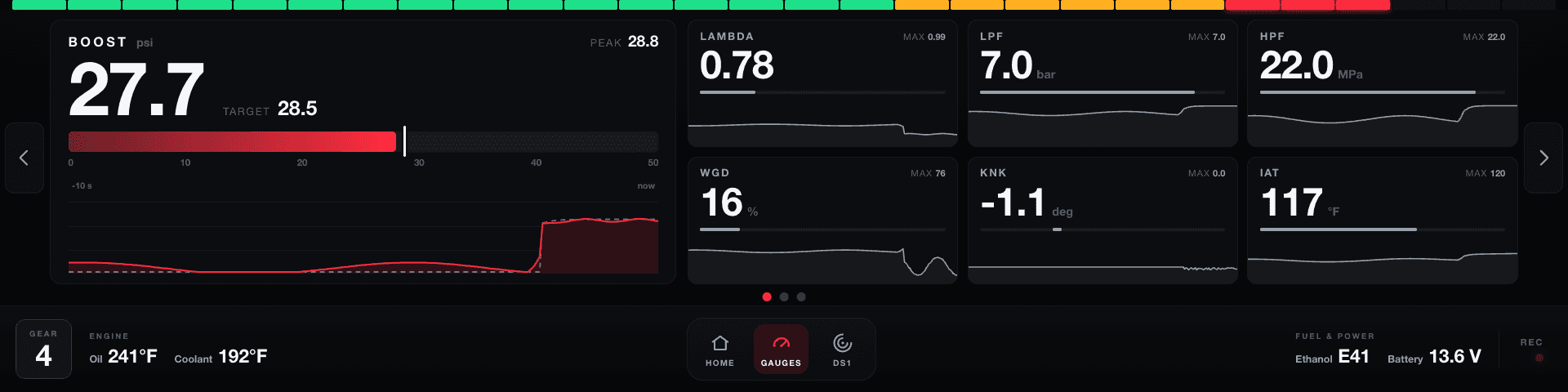
Live gauges
A wide boost bar with its target and the last ten seconds, and tiles for lambda, fuel pressures, wastegate duty, knock and temps, read from your DS1 over WiFi.
Your layout
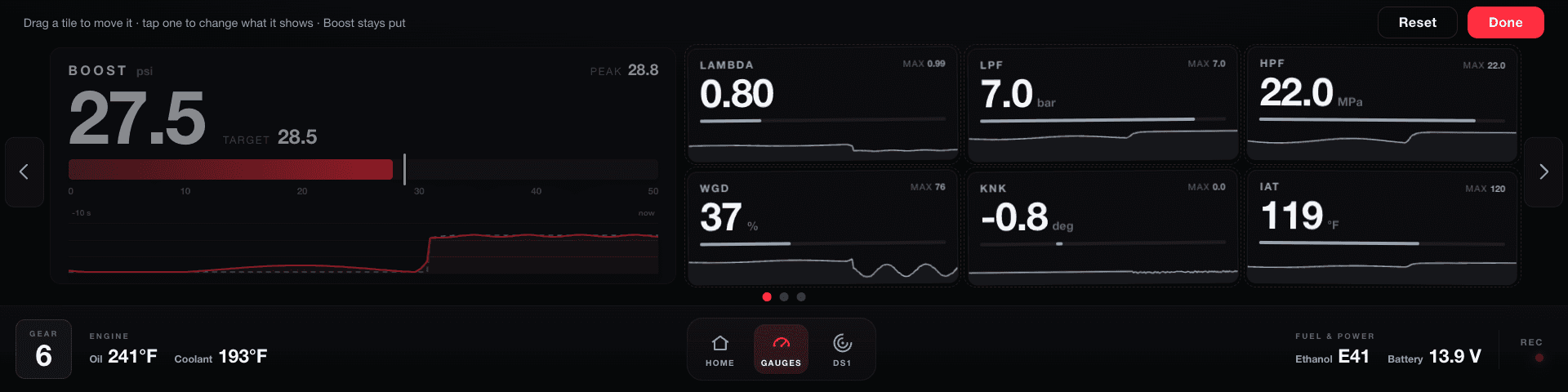
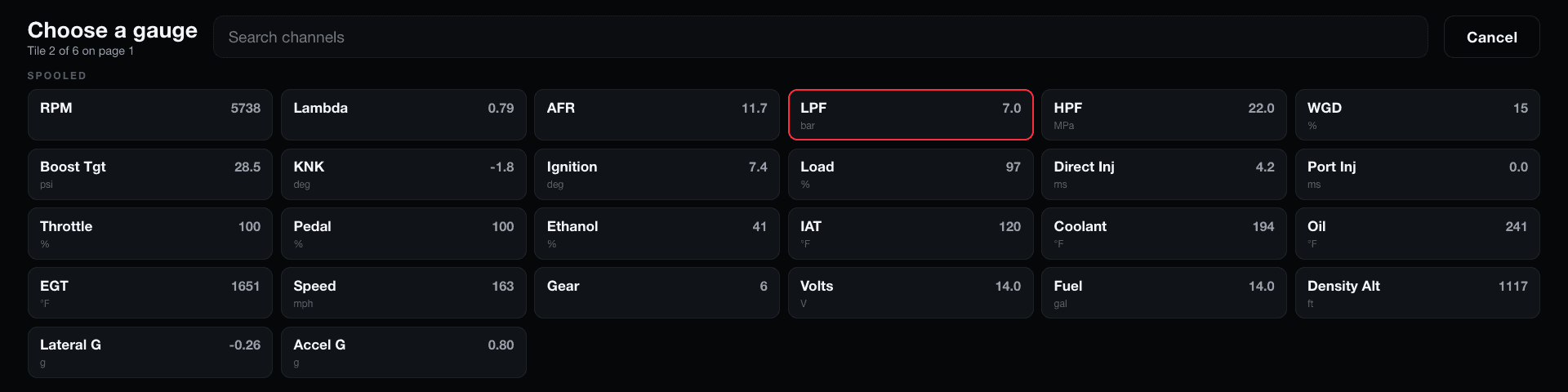
Hold any tile to rearrange them, or change what it shows to any channel your DS1 streams.
Tuner-grade logs
Every drive and every pull, in the DS1's own log format, so they open in the tools tuners already use.
Logs on your phone
Download logs over the dash's own WiFi. No app, no cables.
Fault codes
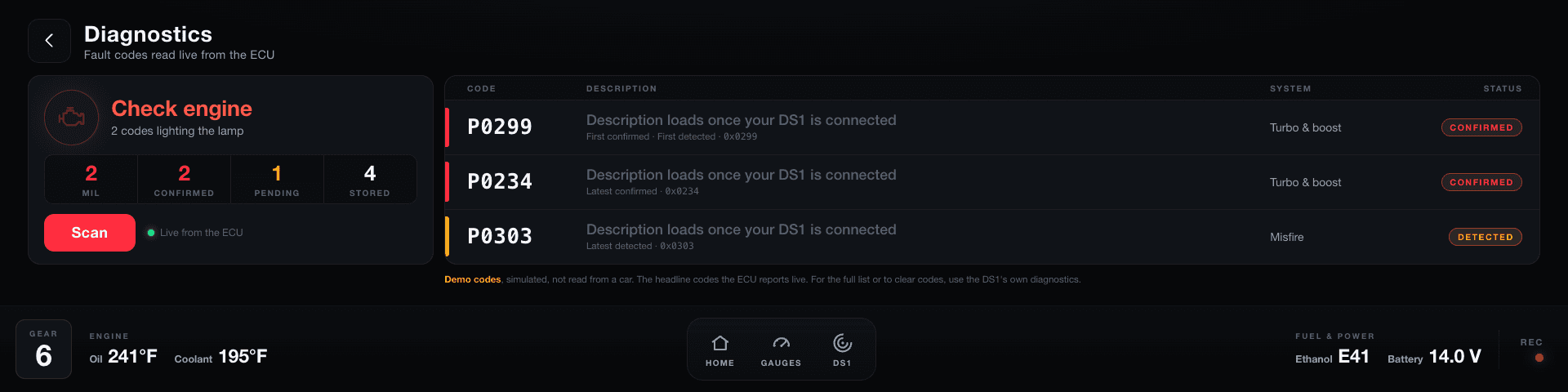
The check-engine status and fault codes, with descriptions read from your own DS1.
Ethanol blend calculator
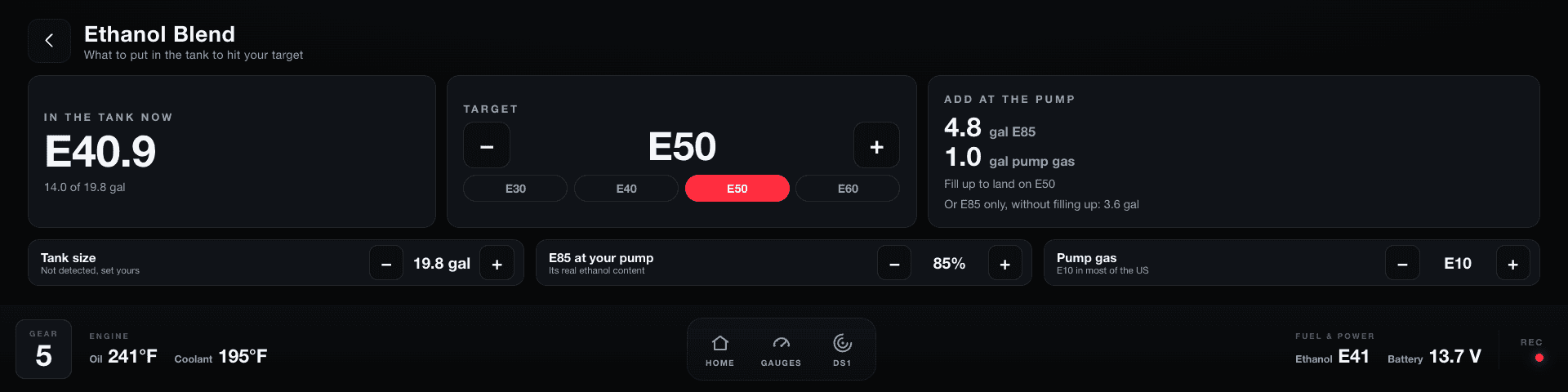
How much E85 and pump gas to add to hit your target.
Graphs on the dash
Look over a log right on the screen.
Updates over WiFi
New versions install from Settings.
Map switching
Switch your DS1's maps from the dash, with a confirm before every switch.
What you need#
| Part | Notes |
|---|---|
| Raspberry Pi 4 (2 GB or more) | This is what SpooledOS is built and tested on. |
| Waveshare 8.8" DSI touchscreen (1920×480, capacitive touch) | The long "bar" screen. It connects to the Pi's DSI port with a ribbon cable. Other screens aren't supported by the installer. |
| microSD card, 32 GB or larger | A1 or A2 rated. A good brand matters: the car cuts the power every time you turn it off. |
| DS1 | Your DS1 joins the dash's WiFi network, and the dash reads its live data from there. |
| 12 V to 5 V converter, 5 A, USB-C output | Powers the Pi and the screen from the car. Don't go smaller than 5 A: an underpowered Pi slows itself down and reboots at random. |
| Add-a-fuse / fuse tap for your car's fuse box | Lets you take power from a fuse without cutting any wires. |
| Inline fuse holder with a 3 A fuse | Protects the wire to the dash. |
| 18 AWG wire, heat-shrink, crimp connectors | For the power run. |
| DS3231 clock moduleOptional | Keeps the time while the car is off, so log names are always dated right. Without it the dash sets its clock from your phone or the internet. |
| A computer, and a USB keyboard or SSHOptional, setup only | Only needed once, to run the installer. |
Raspberry Pi 4 (2 GB or more)
This is what SpooledOS is built and tested on.
Waveshare 8.8" DSI touchscreen (1920×480, capacitive touch)
The long "bar" screen. It connects to the Pi's DSI port with a ribbon cable. Other screens aren't supported by the installer.
microSD card, 32 GB or larger
A1 or A2 rated. A good brand matters: the car cuts the power every time you turn it off.
DS1
Your DS1 joins the dash's WiFi network, and the dash reads its live data from there.
12 V to 5 V converter, 5 A, USB-C output
Powers the Pi and the screen from the car. Don't go smaller than 5 A: an underpowered Pi slows itself down and reboots at random.
Add-a-fuse / fuse tap for your car's fuse box
Lets you take power from a fuse without cutting any wires.
Inline fuse holder with a 3 A fuse
Protects the wire to the dash.
18 AWG wire, heat-shrink, crimp connectors
For the power run.
DS3231 clock moduleOptional
Keeps the time while the car is off, so log names are always dated right. Without it the dash sets its clock from your phone or the internet.
A computer, and a USB keyboard or SSHOptional, setup only
Only needed once, to run the installer.
The printed parts
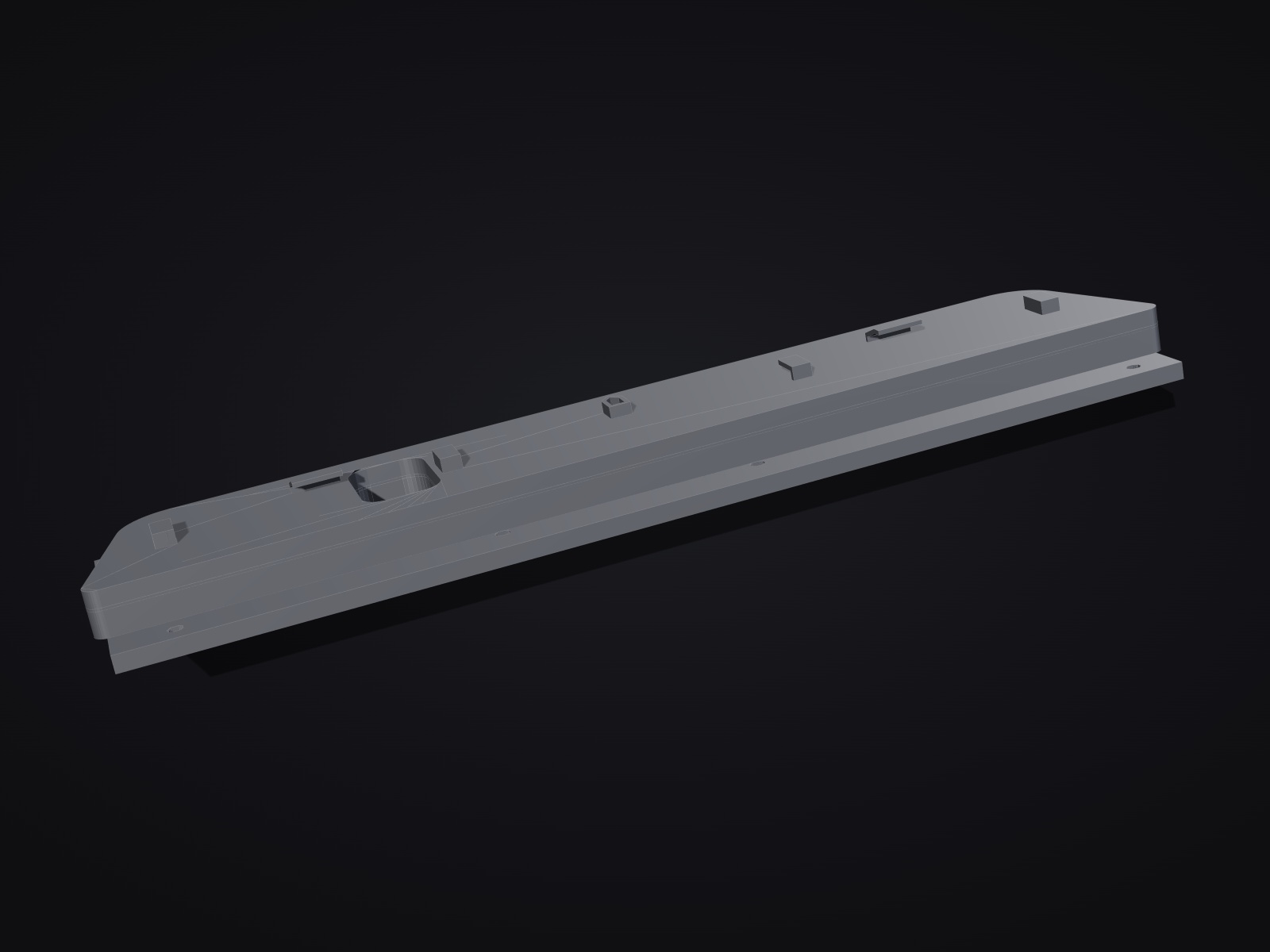
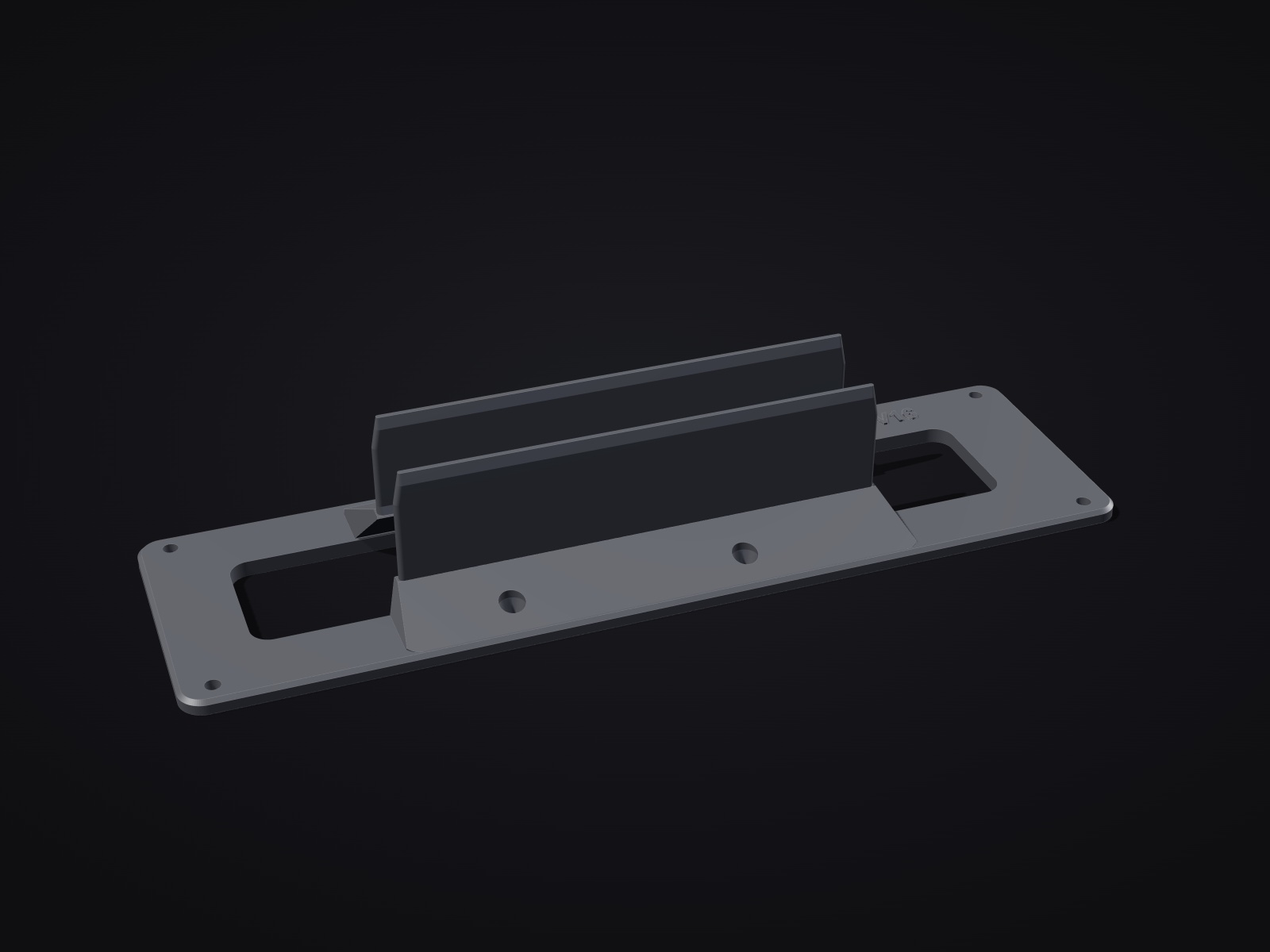
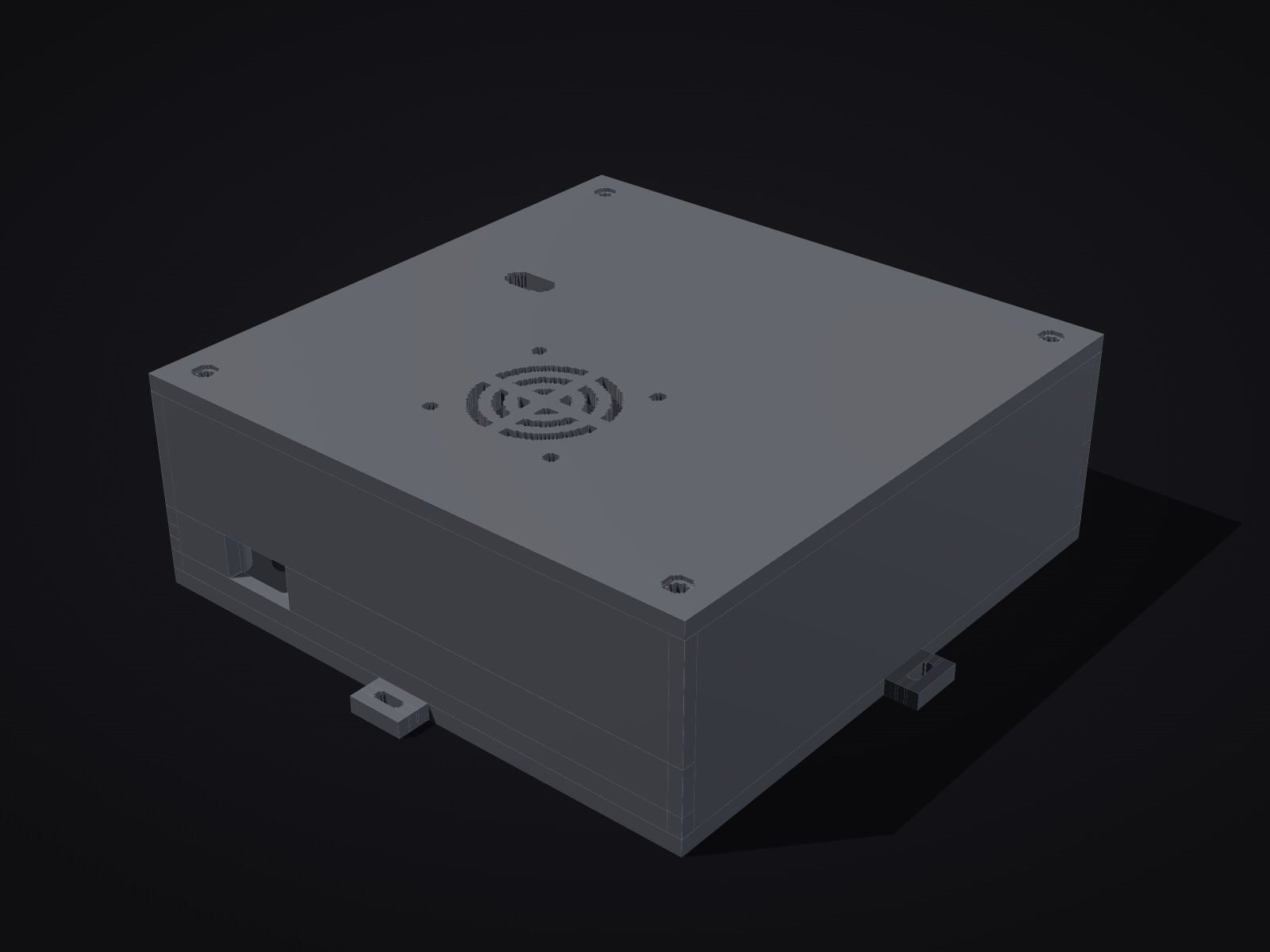
The software is free. If you'd rather not make your own mounts, we sell ours: a bracket that puts the screen in the dash of a D4 or a C7, and a closed box for the Pi and the clock. Printed in ASA, with the screws.
Put Raspberry Pi OS on the card#
- On your computer, install Raspberry Pi Imager.
- Choose Raspberry Pi 4 as the device, and Raspberry Pi OS (64-bit) as the operating system.
- Choose your microSD card, then Edit settings when Imager asks about customisation:
- set a username and password (remember them)
- enter your home WiFi name and password, so the Pi can download SpooledOS
- under Services, turn on SSH if you want to install from your computer instead of with a keyboard on the Pi
- Write the card, then put it in the Pi.
Warning: It must be the version with desktop. The "Lite" version doesn't have the display system the dash runs on.Connect the screen#
- With the Pi unplugged, connect the screen's ribbon cable to the Pi's DSI display port (the narrow connector labelled DISPLAY, beside the micro-HDMI ports). Lift the connector's latch, slide the ribbon in fully with the contacts facing the right way, and press the latch down.
- Connect the screen's power as shown in the instructions that came with it.
- Plug in the Pi's power.
Note: It's normal for the screen to stay black at this point. It lights up after the installer has set it up.Install SpooledOS#
Open a terminal on the Pi - with a keyboard and the Pi plugged into a monitor, or over SSH from your computer (
ssh yourusername@raspberrypi.local) - then run this one command:curl -fsSL https://raw.githubusercontent.com/HybridUla/SpooledOS-Community/main/install.sh | bashIt takes a few minutes. It sets up the screen, starts the dash automatically every time the Pi powers on, and creates a WiFi network for your DS1. When it finishes, restart:
sudo rebootAfter the restart the screen goes straight into the dash.
Warning: If you installed over SSH, you'll lose the connection after this reboot. That's expected: the Pi's WiFi is now busy being the network your DS1 joins. Getting back into the PiOptions
To change the WiFi network's name or password, or if you've fitted a DS3231 clock, put the setting in front of
bash:curl -fsSL https://raw.githubusercontent.com/HybridUla/SpooledOS-Community/main/install.sh | SSID=MyDash PASS=mypassword RTC=1 bashSetting Default What it does SSIDSpooledName of the WiFi network the dash makes for the DS1 PASSSpooledDashIts password, 8 to 63 characters RTC=1off Turns on a DS3231 clock module on the GPIO header DIR~/spooledosWhere SpooledOS is installed SSIDDefault:SpooledName of the WiFi network the dash makes for the DS1
PASSDefault:SpooledDashIts password, 8 to 63 characters
RTC=1Default: offTurns on a DS3231 clock module on the GPIO header
DIRDefault:~/spooledosWhere SpooledOS is installed
Running the installer again is safe; it repairs and updates the setup in place.
Connect your DS1#
The first time the dash starts, it walks you through this on the screen:
- On your DS1, open its WiFi settings.
- Join the network
Spooledwith the passwordSpooledDash(or the ones you chose). - The dash finds the DS1 on its own, and the gauges come alive.
From then on, they connect by themselves every time the car starts.
Power it from the car#
Warning: Work with the car off and the key out. If you're not comfortable working on your car's electrics, have an installer do this part.- Find a switched fuse: one that only has power with the ignition on, so the dash turns off with the car and can't drain the battery. Check it with a multimeter or test light: power with the key on, none with the key out.
- Fit the add-a-fuse in that slot. The car's original fuse goes in the lower slot. In the new slot, use a fuse of at least 5 A.
- From the add-a-fuse's wire, run 18 AWG wire through the inline 3 A fuse to the converter's +12 V input. Keep the inline fuse close to the fuse box.
- Connect the converter's ground to a clean bare-metal chassis point or a factory ground bolt.
- Plug the converter's USB-C into the Pi.
- Use crimp connectors or solder with heat-shrink for every joint. Avoid "scotch-lock" T-taps: they loosen with vibration.
Success: Turn the key: the dash boots, and it shuts off with the car.
Using the dash#
- Gauges
- Swipe or use the arrows to change page. Page 1 is boost, as a wide bar with its target and the last ten seconds, beside six tiles. Page 2 is a G-force plot beside six more. Hold any tile and they all start to wiggle: drag one to a new spot, or tap it to choose what it shows. Boost always keeps the wide panel on page 1. Tap Done when you're finished, or Reset to go back to the original layout.
- Maps
- The third page shows which of your DS1's maps is running. Tap another to switch to it: the dash asks you to confirm first, because a different map is a different tune. Name your maps under Settings → Map names.
- Logs
- The dash logs every drive, and saves every full-throttle pull as its own file. To get logs onto your phone, join your phone to the Spooled WiFi and open
spooled.local/logs, or scan the QR code under Settings. - Diagnostics
- Shows the check-engine status and fault codes. The descriptions come from your DS1: the dash reads them the first time the two connect, and until then shows each code on its own.
- Ethanol Blend
- Works out how much E85 and pump gas to add to hit your target ethanol content.
- Settings
- Brightness, °F/°C, time zone, map names, the DS1 WiFi network, and updates.
Updates#
- On the dash, go to Settings → Network and join your home WiFi (or a phone hotspot).
- Go to Settings → Check for updates, then Update. The dash downloads the new version and restarts.
- Switch back to the DS1's network afterwards from Settings → Network.
Or from a terminal on the Pi:
~/spooledos/update.shGetting back into the Pi#
After the first reboot the Pi's WiFi hosts the DS1's network, so it's no longer on your home WiFi. To reach it:
- Join your computer to the Spooled WiFi, then run
ssh yourusername@10.42.0.1, or - on the dash, join your home WiFi from Settings → Network, then run
ssh yourusername@spooled.local.
Try it on your computer#
You can run the dash with simulated data - no Pi or car needed. With Python 3 installed:
git clone https://github.com/HybridUla/SpooledOS-Community.git
cd SpooledOS-Community
python3 server.py --demoThen open http://localhost:8080 in your browser, with the window sized long and short like the screen.
Troubleshooting#
The screen stays black after the reboot
Check the ribbon cable is fully seated at both ends, with the contacts facing the right way. Then run the installer again.
The picture is sideways, or touch is in the wrong place
Run the installer again and reboot.
The dash says the DS1 isn't connected
Check the DS1 has joined the Spooled network. Restart the DS1, then the dash.
The gauges freeze or drop out
Usually power: use a 5 A converter and a good USB-C cable. Settings → Debug mode shows if the Pi is short on power.
Update says "No internet"
Join the dash to your home WiFi first, from Settings → Network.
The logs page won't open on my phone
Your phone must be on the Spooled WiFi. If spooled.local/logs won't load, try 10.42.0.1/logs.
Log times are wrong
Set your time zone in Settings. Without a DS3231 clock, the time comes from your phone (opening the logs page sets it) or the internet.
To see what the dash is doing, run this in a terminal on the Pi:
journalctl -u spooled-server -fSpooledOS or SpooledOS Community?#
SpooledOS Community is the free, do-it-yourself edition. The Spooled dash is a ready-built unit, made to fit your car, running SpooledOS.
| Feature | SpooledOS Community | SpooledOS (Spooled dash) |
|---|---|---|
| Live gauges, custom layouts | Included | Included |
| DS1-format logging, phone download | Included | Included |
| Fault codes, ethanol blend calculator | Included | Included |
| Updates over WiFi | Included | Included |
| Themes | Not included | Included |
| Remote support from Spooled | Not included | Included |
| Automatic log backup to logs.spooled.racing | Not included | Included |
| Ready-built, made to fit your car | Build it yourself | Included |
| Price | Free | See the shop |
Live gauges, custom layouts
- Community
- Included
- Spooled dash
- Included
DS1-format logging, phone download
- Community
- Included
- Spooled dash
- Included
Fault codes, ethanol blend calculator
- Community
- Included
- Spooled dash
- Included
Updates over WiFi
- Community
- Included
- Spooled dash
- Included
Themes
- Community
- Not included
- Spooled dash
- Included
Remote support from Spooled
- Community
- Not included
- Spooled dash
- Included
Automatic log backup to logs.spooled.racing
- Community
- Not included
- Spooled dash
- Included
Ready-built, made to fit your car
- Community
- Build it yourself
- Spooled dash
- Included
Price
- Community
- Free
- Spooled dash
- See the shop
Credits#
Dyno Spectrum
For making the DS1. SpooledOS exists because the DS1 streams everything a tuned car is doing over WiFi, ready for a screen like this one to read.
opendbc by comma.ai
For vw_mlb.dbc. The CAN messages the dash decodes from the car's bus, and how each signal is laid out and scaled, come from it (MIT licence).
Thank you both.
License#
SpooledOS Community is free software under the GNU General Public License v3.0. You can use, change and share it. If you share a modified version, or sell something built on it, you must release your source code under the same license.
SpooledOS Community is not affiliated with or endorsed by Dyno Spectrum, comma.ai, Audi or any car manufacturer; their names are used only to credit them and to describe what this works with. It reads data from your DS1, and can switch maps and set the log mask on it. It never flashes or edits a tune. Fit and use it at your own risk, and keep your eyes on the road.